
Start by identifying the installation type: a battery-powered light, a plug-in light, or a hardwired fixture or wall switch. They are not interchangeable projects. This guide covers planning, placement, and testing; hardwired work requires the exact model instructions and appropriately qualified help when needed.
Do not follow a generic wire-color diagram from another model. Circuit arrangement, grounding, neutral requirements, and permitted loads vary.
Choose the Correct Installation Path
- Battery or rechargeable: charge or fit the specified batteries, select a temporary position, and test detection before fixing the mounting hardware. Confirm that adhesives or screws are permitted on the surface.
- Plug-in: use an appropriate intact outlet and keep the sensor unobstructed. Check the product’s indoor or outdoor rating and do not assume an indoor nightlight is weatherproof.
- Hardwired: identify the exact fixture or switch model and obtain its installation manual. Have a qualified installer confirm circuit compatibility, isolation, absence of voltage, and the required connections. Do not work on energized wiring.
Position and Test Before Final Adjustment
Choose a position that covers the intended approach without being hidden by furniture or a door. Follow the manual’s mounting height and orientation. Test someone entering the space, then check unwanted activation from adjacent areas.
Set the timeout and daylight threshold according to the manual. Change one setting at a time and repeat the same walk test. Record the final settings so troubleshooting later is easier.
For an in-wall sensor, use the manufacturer’s model-specific installation resources, not instructions for a similar-looking switch. Stop if the actual wiring does not match the approved diagram.

Pros
- Retains personalized settings during power interruptions
- Offers reliable motion sensing up to 30 feet for up to 900 square feet of coverage
- Coordinates with other Maestro series components for consistent home aesthetics
- Supports vacancy mode suitable for bedrooms or areas with pets
Cons
- Restricted to single-pole wiring configurations
- Multiple lights connected will operate simultaneously without individual control
- Coordinating wallplate must be purchased separately
The Lutron Maestro MS-OPS2-AL occupancy and vacancy sensor switch automates light control in residential areas including bathrooms, garages, laundry rooms, and closets. It turns lights on automatically when motion is detected and off after a selected delay once the space is vacated.
Proprietary XCT sensing technology identifies fine movements such as typing or reading to avoid premature shutoff. Patented ambient light detection prevents activation when sufficient daylight is present, supporting energy conservation across various bulb types including LED and CFL.
The unit features a compact design that aligns with other Maestro family products for visual consistency. Installation uses either ground or neutral wire and completes in approximately 15 minutes for single-pole applications only.
Homeowners benefit from programmable off delays of 1, 5, 15, or 30 minutes along with the option to switch to manual-on vacancy mode. This setup suits households with children or pets where lights might otherwise remain on unintentionally.
Limitations include restriction to single-pole use and simultaneous control of all connected fixtures. The product suits DIYers seeking straightforward automation in smaller rooms while those needing three-way switching or separate zone control may consider alternative models.
Specifications
| Operation Mode | Automatically,Off |
|---|---|
| Current Rating | 2 Amps |
| Operating Voltage | 120 Volts |
| Contact Type | Normally Open |
| Connector Type | Screw |
| Switch Type | Light Sensing |
| Terminal | Screw |
| Circuit Type | 1-way |
| Mounting Type | Wall Mount |
| Actuator Type | Push Button |
Verify the current product variation before purchase; specifications may change.
Best For / Avoid If
Best for buyers prioritizing
- Retains personalized settings during power interruptions
- Offers reliable motion sensing up to 30 feet for up to 900 square feet of coverage
- Coordinates with other Maestro series components for consistent home aesthetics
Consider another option if
- Restricted to single-pole wiring configurations
- Multiple lights connected will operate simultaneously without individual control
- Coordinating wallplate must be purchased separately

Pros
- Customizable brightness enhances user control over light intensity.
- Energy-efficient design supports reduced electricity consumption.
- Versatile placement options due to wide application suitability.
- Simple mode selection improves everyday convenience.
Cons
- Auto mode requires complete darkness to activate, limiting use in partially lit areas.
- Fixed 60-second timeout may require frequent reactivation in some scenarios.
- Sensing range might be insufficient for very large rooms.
This plug-in device from LLOHASLED functions as a motion-activated night light that helps users move safely through dark spaces without disturbing others.
The auto setting relies on motion detection within a specified range and angle, providing illumination only when needed and conserving power during periods of inactivity.
Users can select from three operational modes and adjust brightness via a slider, allowing customization for different environments around the home.
Such features make it practical for locations including stairways, garages, and bedrooms where low-level lighting improves navigation at night.
While effective for personal residences, the compact design and limited output may not address needs in commercial settings or expansive areas.
Homeowners looking for an easy-to-install lighting aid will find this option aligns well with basic safety and comfort requirements.
Specifications
| Bulb Base | E26 |
|---|---|
| Switch Type | slide |
| Additional Features | 3 Lighting Modes, Adjustable Brightness, Auto ON/OFF, Energy Efficient, Motion Sensor |
| Light Source Type | LED |
| Power Source | Plug-in_electric |
| Number of Light Sources | 1 |
| Is Waterproof | false |
| Bulb Shape Size | A19 |
| Mounting Type | Wall Mount |
| Lighting Method | Adjustable |
Verify the current product variation before purchase; specifications may change.
Best For / Avoid If
Best for buyers prioritizing
- Customizable brightness enhances user control over light intensity.
- Energy-efficient design supports reduced electricity consumption.
- Versatile placement options due to wide application suitability.
Consider another option if
- Auto mode requires complete darkness to activate, limiting use in partially lit areas.
- Fixed 60-second timeout may require frequent reactivation in some scenarios.
- Sensing range might be insufficient for very large rooms.
Features to Check Before Installation
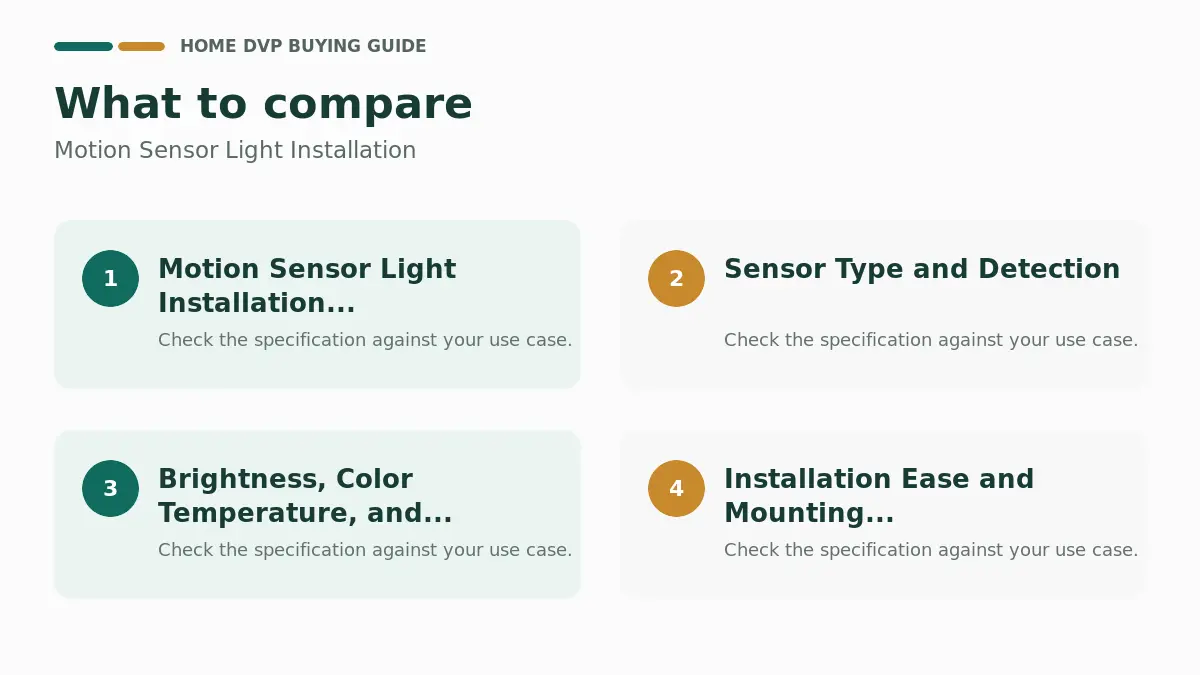
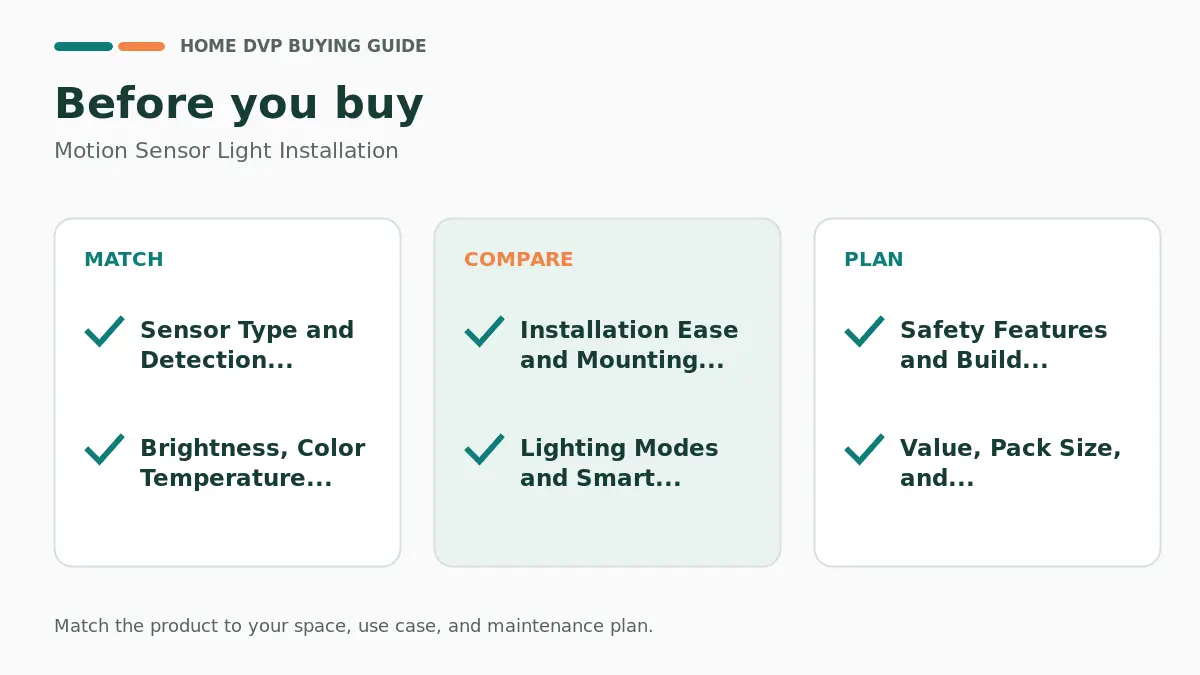
Selecting the right motion-activated lighting depends on your space, wiring access, and daily habits. After carefully analyzing the available specifications, we identified key factors that separate reliable homeowner solutions from less practical ones. Consider detection technology, power options, light quality, mounting style, modes, safety features, energy use, and long-term durability before buying. This section breaks down each criterion with practical advice for DIYers and renters.
Sensor Type and Detection Range
Most models use passive infrared (PIR) sensors that detect body heat and movement within a set angle and distance. Look for 120° coverage and ranges of 3-5 meters or up to 10-16 feet for stairs and hallways. Wider fields of view work better in larger rooms, while tighter ranges reduce false triggers from pets or hallway traffic.
Many units combine motion with dusk-to-dawn sensors so lights only activate in low light. This dual approach prevents daytime operation and saves energy. Common mistakes include mounting sensors too high or behind obstacles, which cuts effective range. For stairs or closets, position units where they catch foot traffic early. Homeowners upgrading laundry rooms or garages often prefer occupancy sensors that cover larger square footage, such as up to 980 sq ft in wall-switch designs.
Based on the feature set, adjustable sensitivity helps fine-tune performance. Test placement after installation and avoid pointing sensors at heat sources like vents. Pairing these lights with proper color temperature choices can enhance visibility; see our resource on LED ceiling light color temperature for complementary guidance.
Power Source and Battery Life
Options include plug-in models that use existing outlets, USB-rechargeable magnetic bars with high-capacity batteries (1800-2200mAh), AAA battery stick-ons, and hardwired switches. Plug-in units offer unlimited runtime but require free outlets and leave the second socket available in compact designs. Rechargeable under-cabinet and stair lights last 7-60 days in sensor mode or several hours always-on, with USB-C charging completing in about 2 hours.
Battery-operated lights suit renters and closets without power, yet require periodic replacement or recharging. Hardwired motion sensor switches eliminate batteries entirely and work with any bulb type, including LED and CFL, when neutral or ground wiring is available. A frequent error is underestimating usage frequency; high-traffic areas drain batteries faster. Choose models with memory for brightness settings so you avoid reconfiguring after power cycles.
Energy efficiency stands out in low-wattage LEDs (0.6-1.3W) that cost pennies annually. For homes without easy outlet access, magnetic rechargeable packs provide flexible placement and easy removal for charging. Evaluate your space first: kitchens benefit from under-cabinet rechargeables, while bathrooms often use plug-in night lights.
Brightness, Color Temperature, and Dimming
Soft warm white around 2200-3000K creates gentle ambient light ideal for bedrooms and hallways without disrupting sleep. Cooler options (4500-6000K) suit task areas like kitchens or closets. Many products offer 1-50 lm or up to 160 lm output with 5-step or stepless dimming via short or long button presses. Memory functions retain the last setting.
Diffuse backlit or frosted covers prevent glare and direct eye strain, important for light-sensitive users or night use. Multi-color temperature models let you switch warm for cozy evenings and cool for meal prep. Avoid fixed high-brightness lights in sleeping areas; they can wake household members. Gradual fade-in and fade-out further reduce eye discomfort compared to sudden on/off.
Our research indicates that adjustable models serve more rooms and users. For stairs, lower lumen levels (around 35 lm) provide safe guidance without harshness. Match brightness to the application: higher for under-cabinet work surfaces, softer for night navigation.
Installation Ease and Mounting Options
Plug-in night lights require zero tools—just insert into an outlet. Magnetic under-cabinet and stair lights attach directly to metal surfaces or use included adhesive metal plates for wood, drywall, or plastic. Split designs allow battery replacement without full removal. In-wall switches demand basic electrical knowledge: single-pole only, some needing neutral wire, others using ground, and often including wall plates.
Common pitfalls include ignoring wiring requirements or using weak adhesives on textured surfaces. Always turn off power at the breaker for switch installs and verify single-pole compatibility. Renters favor adhesive or magnetic options that leave no permanent marks. Tool-free magnetic bases simplify charging cycles because units lift off easily.
For multi-unit setups like 4- or 6-packs, plan placement for even coverage without overlap that causes constant activation. Installation time ranges from seconds for plug-ins to 15-30 minutes for switches. If your project involves broader lighting work, check resources on desk lamps for eye protection at desk lamp eye protection.
Lighting Modes and Smart Features
Standard modes include Always On, Always Off, Night/Auto (motion only in dark), Daytime Sensing (motion anytime), and Dim modes that stay soft after initial bright activation. Some switches offer Occupancy (auto on/off) versus Vacancy (manual on, auto off) with programmable delays of 1-30 minutes. Dusk-to-dawn independence keeps lights off in bright conditions.
These modes adapt to different rooms: night sensing for bedrooms, always-on temporary for tasks, and vacancy for energy savings when kids forget switches. Override buttons let you force on or off. Avoid models with limited modes if your household needs flexibility. Time-delay settings prevent premature shutoff during short pauses.
Based on available product information, multi-mode lights cover more scenarios and reduce the need for multiple product types. Programmable delays prove especially useful in bathrooms and garages.
Safety Features and Build Quality
Prioritize V-0 fire-resistant casings, over-current protection, and compact designs that free the second outlet. High CRI LEDs and anti-glare panels protect eyes. UL-listed switches add confidence for hardwired installs. Soft gradual lighting reduces startle risk in dark spaces.
Durability comes from aluminum alloy housings, strong magnets, and reliable adhesives. Look for long warranties and technical support. Weak points can include brittle plastics or sensors that degrade over heat exposure. For homes with children or pets, avoid sharp edges and ensure stable mounting.
Safety extends to energy savings that cut fire risks from forgotten lights. Always follow manufacturer guidelines for load ratings on switches (e.g., 4A/500W).
Value, Pack Size, and Long-Term Reliability
Multi-packs (2, 4, or 6 units) deliver better per-light value for whole-home coverage. Rechargeables reduce ongoing battery costs compared to disposable AAA models. Evaluate total cost of ownership including charging accessories. Reliable brands emphasize consistent performance across thousands of user reports on motion accuracy and longevity.
Higher-end options add simultaneous multi-unit charging cables or advanced dim modes. Budget picks still perform well for simple night navigation. Match pack size to your layout—stairs often need several units for continuous coverage.
In 2026, focus on models that balance features with proven materials. For more on home lighting organization, visit the Lighting & Fans category page.
How to Use the Product References
The product listings are supplementary references, not hands-on test results. Verify the exact model, current documentation, and suitability for your needs. Available listings can change; do not treat the number displayed as a fixed research sample.
Before You Decide
Resolve the requirements described above before comparing individual products. Check the exact model documentation and current price, and do not let a promotional feature replace a compatibility or safety check.
Frequently Asked Questions
Can I add motion lighting without changing wiring?
A suitable battery or plug-in light can be an option. Confirm brightness, location rating, mounting permission, and detection coverage first.
Does every sensor switch need a neutral wire?
No single rule applies to every model. Check the exact switch manual and have the existing circuit identified correctly before choosing a device.
Why does the light stay on after installation?
Check the timeout, manual override, sensor view, and setup instructions. Our motion-sensor troubleshooting guide covers checks that do not require improvised wiring changes.
When should I stop and call an electrician?
Stop for damaged wiring, unexpected circuit arrangements, repeated breaker trips, or any uncertainty about isolation or compatibility. Do not bypass protective devices.