The front door lock is the one security device, you touch more than any other in your house. It’s also the one people distrust most when it goes ‘smart’ — and that skepticism is fair. Cheap smart locks have finicky apps, dead batteries, and pairing hassles that leave you standing in the rain with a dead keypad. But a well-built one changes the daily experience: dropped keys, guest access codes that expire on their own, and the relief of knowing the door is locked because your phone says so.
This guide walks through the 15 locks worth your attention across $79.99 – $399.99, focused on list that novices skip to their regret: installation fit for standard doors (1-3/8″ to 2″ thickness and common backsets), connectivity type (built-in Wi-Fi versus hub-dependent Bluetooth), battery life measured in months not marketing claims, unlock methods from keypad to fingerprint to phone, gateway/Matter compatibility with your existing smart home, and how well the app handles day-to-day access for guests, cleaners, and family. To see the wider security picture, our Smart Home Security hub fills in the rest.
Whether you need keyless entry for busy households or advanced biometric options, this comparison delivers transparent insights to support informed decisions. All recommendations stay grounded in the provided product details and homeowner priorities like reliability and value within the $79.99 – $399.99 range.
Top Products
Paid link disclosure: As an Amazon Associate I earn from qualifying purchases. Learn how we review products.
Philips Wi-Fi Smart Lock Deadbolt
Quick take: This Philips Wi-Fi door lock combines built-in wireless connectivity with multiple entry methods such as fingerprint touch and app commands for streamlined home access. It suits homeowners who want remote control options along wit...
- Supports Alexa and Google Assistant voice commands for hands-free operation
- Stores multiple fingerprints for convenient family access
- Works only with 2.4GHz WiFi networks and requires the router to stay within 65 feet
Pros
- Supports Alexa and Google Assistant voice commands for hands-free operation
- Stores multiple fingerprints for convenient family access
- US-based support team reachable by phone and email
Cons
- Works only with 2.4GHz WiFi networks and requires the router to stay within 65 feet
- Does not include a door sensor for complete monitoring
- Batteries and color choice must be confirmed before purchase
The Philips Wi-Fi door lock functions as a smart deadbolt that brings together keyless entry methods and remote management features for everyday residential use.
Performance centers on its ability to handle app commands fingerprint scans passcode entry physical keys and voice control through compatible assistants which streamlines entry for varying household routines.
Design focuses on self-installation with a screwdriver on compatible door thicknesses while the integrated WiFi connection removes the need for separate hubs and keeps the setup process direct.
In practical home settings the automatic locking timer and instant notifications deliver ongoing security awareness along with options to share temporary codes for deliveries or visitors.
Users should confirm door thickness and network specifications ahead of time since these details affect compatibility and range. This lock presents a balanced choice for those seeking adaptable access control in a residential setting.
Best For / Avoid If
Best for buyers prioritizing
- Supports Alexa and Google Assistant voice commands for hands-free operation
- Stores multiple fingerprints for convenient family access
- US-based support team reachable by phone and email
Consider another option if
- Works only with 2.4GHz WiFi networks and requires the router to stay within 65 feet
- Does not include a door sensor for complete monitoring
- Batteries and color choice must be confirmed before purchase
Philips 4200 Series Deadbolt Review
Quick take: The Philips 4200 Series Wifi Door Lock Deadbolt links straight to 2.4GHz networks so users can handle locking and access logs through a smartphone app from any location.
- Direct WiFi connection simplifies setup by eliminating any required bridge device.
- Voice assistant integration allows lock status checks or commands without touching the keypad.
- Auto-lock must be activated manually in the app after installation.
Pros
- Direct WiFi connection simplifies setup by eliminating any required bridge device.
- Voice assistant integration allows lock status checks or commands without touching the keypad.
- Complete handle set provides a coordinated look for the entire entry.
Cons
- Auto-lock must be activated manually in the app after installation.
- Only standard alkaline batteries are recommended and rechargeables are not supported.
- Default setup fits right-opening doors and requires reconfiguration for left-opening models.

The Philips 4200 Series Wifi Door Lock Deadbolt delivers keyless entry through a combination of app commands, fingerprints, and passcodes that suit homeowners wanting straightforward remote oversight of their front door.
Direct 2.4GHz WiFi connectivity supports locking, unlocking, user management, and access history checks from anywhere, while compatibility with Alexa and Google Assistant enables voice operation when hands are full.
The package includes a matching handle and installs on doors 1-3/8 to 1-3/4 inches thick with only a screwdriver, though installers must confirm door thickness and orientation before starting.
Multiple code types and stored fingerprints make the lock practical for households that regularly grant temporary entry to guests or service staff, and the low-battery warning helps maintain consistent performance.
Users should note that auto-lock starts disabled and door direction may need adjustment, yet the listed features still position this model as a useful upgrade for those focused on app-driven access control.
Specifications
| Brand | PHILIPS |
|---|---|
| Special Feature | Anti-Drill, Auto-Lock, Back-Lit Keypad, Anti-Peeping Password, Built-in WiFi, APP Remote Control, Fingerprint See more |
| Lock Type | Biometric, Deadbolt, Keypad, WiFi Smart Lock |
| Item dimensions L x W x H | 6 x 2.2 x 1.5 inches |
| Material | Metal |
Verify the current product variation before purchase; specifications may change.
Best For / Avoid If
Best for buyers prioritizing
- Direct WiFi connection simplifies setup by eliminating any required bridge device.
- Voice assistant integration allows lock status checks or commands without touching the keypad.
- Complete handle set provides a coordinated look for the entire entry.
Consider another option if
- Auto-lock must be activated manually in the app after installation.
- Only standard alkaline batteries are recommended and rechargeables are not supported.
- Default setup fits right-opening doors and requires reconfiguration for left-opening models.
Schlage Encode Wi-Fi Deadbolt Review
Quick take: This Schlage Encode model connects directly to home Wi-Fi for remote lock management through the Schlage Home app while delivering a built-in alarm and support for up to 100 access codes.
- Built-in Wi-Fi eliminates the need for a separate bridge or hub device.
- BHMA-certified for highest residential security, durability, and finish ratings.
- Remote features require a stable home Wi-Fi network connection.
Pros
- Built-in Wi-Fi eliminates the need for a separate bridge or hub device.
- BHMA-certified for highest residential security, durability, and finish ratings.
- Compatible with Alexa, Google Assistant, Ring, and Airbnb platforms.
- Fingerprint-resistant touchscreen maintains appearance during frequent use.
- Snap ‘n Stay design keeps components aligned during one-person installation.
Cons
- Remote features require a stable home Wi-Fi network connection.
- Battery power demands periodic replacements and monitoring.
- Fits only doors between 1-3/8 and 1-3/4 inches thick with standard backsets.
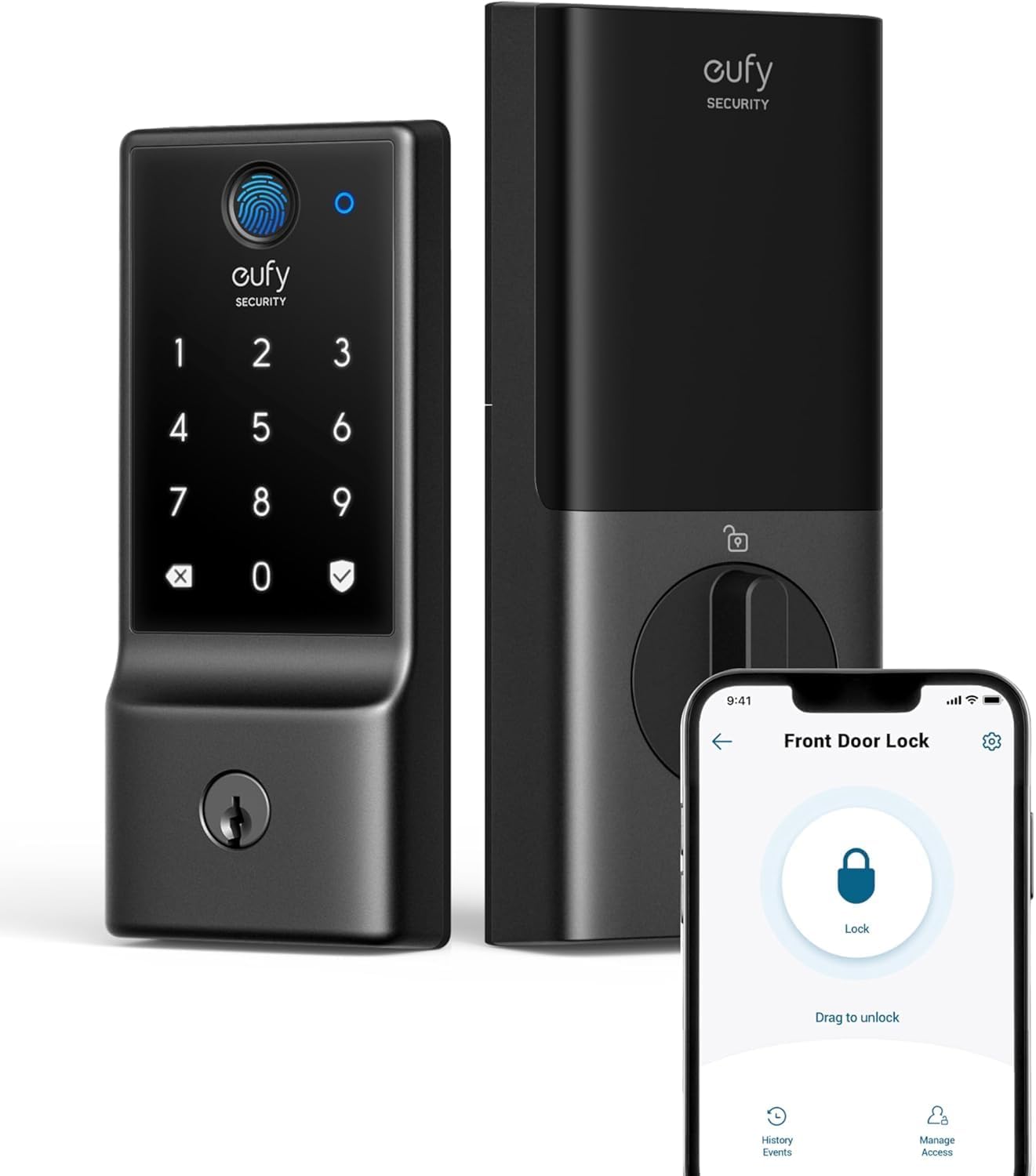
The Schlage Encode smart deadbolt suits homeowners who want convenient remote management of front door access without purchasing additional hubs or bridges.
Built-in Wi-Fi connectivity lets users check lock status, issue commands, and receive alerts from anywhere through the Schlage Home app while supporting voice control via Alexa or Google Assistant when paired with a compatible device.
Installation uses only a screwdriver and the Snap ‘n Stay feature to hold parts in place, allowing the unit to fit most standard residential doors between 1-3/8 and 1-3/4 inches thick.
Practical benefits include one-touch exterior locking, adjustable auto-lock delays, and the ability to create temporary codes for service providers or rental guests through Airbnb integration.
Limitations center on the requirement for a reliable Wi-Fi signal to enable full remote capabilities and the need to replace four AA batteries every several months based on typical usage patterns.
Homeowners seeking integrated smart security may appreciate the listed features, whereas those preferring non-connected mechanical locks might explore simpler deadbolt options instead.
Specifications
| Brand Name | SCHLAGE |
|---|---|
| Recommended Uses For Product | Security |
| Number of Pieces | 1 |
| Included Components | Installation Hardware, Installation Instructions |
| Model Number | BE489WBCEN622 |
| UPC | 043156039142 |
| Model Name | Encode Century WiFi Deadbolt Smart Lock |
| Global Trade Identification Number | 00043156039142 |
| Manufacturer Warranty Description | Backed by a limited lifetime mechanical and finish warranty, and a limited three-year electronics warranty. See Schlage warranty for full details. Warranty valid only on "Ships from and sold by Amazon or Buildcom" purchases. |
| Manufacturer | Schlage |
Verify the current product variation before purchase; specifications may change.
Best For / Avoid If
Best for buyers prioritizing
- Built-in Wi-Fi eliminates the need for a separate bridge or hub device.
- BHMA-certified for highest residential security, durability, and finish ratings.
- Compatible with Alexa, Google Assistant, Ring, and Airbnb platforms.
Consider another option if
- Remote features require a stable home Wi-Fi network connection.
- Battery power demands periodic replacements and monitoring.
- Fits only doors between 1-3/8 and 1-3/4 inches thick with standard backsets.
eufy C220 Smart Lock Deadbolt with Fingerprint
Quick take: The eufy Security Smart Lock C220 delivers keyless entry via fingerprint recognition alongside app-based remote control enabled by built-in Wi-Fi connectivity. Homeowners gain extended battery runtime and straightforward access ma...
- Built-in Wi-Fi enables direct remote access and real-time notifications.
- Multiple backup unlock methods including physical keys ensure continued access.
- Limited compatibility with certain smart home ecosystems like Apple HomeKit or Matter.
Pros
- Built-in Wi-Fi enables direct remote access and real-time notifications.
- Multiple backup unlock methods including physical keys ensure continued access.
- Long battery duration minimizes frequent replacements and lockout risks.
Cons
- Limited compatibility with certain smart home ecosystems like Apple HomeKit or Matter.
- Requires specific door dimensions and thickness that may not fit every installation.
- Not compatible with mortise locks or eufy HomeBase systems.
The eufy Security Smart Lock C220 serves as a fingerprint keyless entry deadbolt designed for front doors in residential settings where convenient access control is desired.
Based on the listed specifications the device delivers reliable operation through its 8-month battery runtime and built-in Wi-Fi that supports app-based remote control without additional hardware.
Installation aligns with most standard US and CA deadbolts completing in roughly 15 minutes without the need for drilling while the exterior assembly maintains IP53 waterproofing and handles temperatures from -22 to 158 degrees Fahrenheit.
Homeowners can manage access for multiple users set scheduled codes and receive real-time notifications along with event history for enhanced daily convenience and security awareness.
Potential limitations include incompatibility with Apple HomeKit Matter or IFTTT along with specific door thickness requirements between 35 and 55 millimeters that must be verified prior to purchase.
Those seeking a straightforward smart deadbolt upgrade with strong battery performance and app integration will find this model suitable whereas users needing broader ecosystem compatibility might explore alternative options.
Best For / Avoid If
Best for buyers prioritizing
- Built-in Wi-Fi enables direct remote access and real-time notifications.
- Multiple backup unlock methods including physical keys ensure continued access.
- Long battery duration minimizes frequent replacements and lockout risks.
Consider another option if
- Limited compatibility with certain smart home ecosystems like Apple HomeKit or Matter.
- Requires specific door dimensions and thickness that may not fit every installation.
- Not compatible with mortise locks or eufy HomeBase systems.
eufy FamiLock S3 Max Smart Lock Review
Quick take: This deadbolt combines palm vein recognition with an integrated 2K HDR doorbell camera and rear video screen for comprehensive front door monitoring. Families and multi-user households benefit from its local biometric storage and...
- Palm vein system offers forgery-resistant recognition without physical keys or codes
- All-in-one unit reduces hardware clutter by merging lock, camera, and display functions
- Palm vein feature supports unlocking only and cannot lock the door
Pros
- Palm vein system offers forgery-resistant recognition without physical keys or codes
- All-in-one unit reduces hardware clutter by merging lock, camera, and display functions
- Rear screen enables simple status checks for users who prefer not to rely on smartphones
- Local storage and processing avoid recurring cloud fees
- Matter support allows flexible integration with existing smart home setups
Cons
- Palm vein feature supports unlocking only and cannot lock the door
- Requires specific door thickness and may not fit homes with storm doors in front
- Incompatible with HomeBase 2, which could limit options for existing eufy users
The eufy FamiLock S3 Max serves as a deadbolt solution that merges biometric entry with video monitoring for homeowners who want consolidated front door security. Its palm vein recognition and built-in 2K camera target households that include multiple residents or frequent visitors.
Performance centers on rapid biometric verification and continuous camera operation that delivers clear footage even in low light. The dual power arrangement supports extended use while the emergency AAA batteries keep basic PIN functions available if the main battery depletes.
Design choices emphasize everyday practicality through the rear video screen and wide-angle lens that together reduce reliance on separate apps or devices. Setup aligns with standard door dimensions and includes weatherproofing suitable for exterior exposure.
In daily scenarios the system supplies real-time visitor notifications and allows remote lock commands when linked to other eufy cameras. The local storage of palm data and 16 GB camera footage keeps sensitive information on the device rather than in the cloud.
Limitations include the unlock-only restriction of the palm feature and the need for compatible door thickness without an obstructing storm door. Overall the product suits homeowners seeking an integrated smart lock and camera package that works with Matter ecosystems while providing an app-free viewing option for certain family members.
Specifications
| Brand Name | eufy Security |
|---|---|
| Recommended Uses For Product | Apartment Door, Office Door, Front Door, Entry Door, Exterior Door |
| Number of Pieces | 1 |
| Included Components | Deadbolts & Deadbolts Screws, Exterior Assembly, Interior Assembly, Physical Keys, Rechargeable Battery & AAA Batteries x 4 |
| Model Number | E85V0 |
| UPC | 194644232658 |
| Model Name | E85V0JY1 |
| Manufacturer | eufy |
| Unit Count | 1.0 Count |
| Manufacturer Part Number | T85V0 |
Verify the current product variation before purchase; specifications may change.
Best For / Avoid If
Best for buyers prioritizing
- Palm vein system offers forgery-resistant recognition without physical keys or codes
- All-in-one unit reduces hardware clutter by merging lock, camera, and display functions
- Rear screen enables simple status checks for users who prefer not to rely on smartphones
Consider another option if
- Palm vein feature supports unlocking only and cannot lock the door
- Requires specific door thickness and may not fit homes with storm doors in front
- Incompatible with HomeBase 2, which could limit options for existing eufy users
Aqara U400 Deadbolt: UWB Hands-Free Unlocking
Quick take: Aqara's U400 deadbolt uses ultra-wideband technology to detect approach direction and intent for automatic unlocking with supported iPhones or watches. It pairs this capability with fingerprint, keypad, and physical key options pl...
- UWB measures exact position and direction to avoid unintended unlocks while walking nearby
- Rechargeable battery includes both interior charging and an exterior emergency port
- UWB, Home Key, and remote features require a compatible Thread-enabled Apple hub
Pros
- UWB measures exact position and direction to avoid unintended unlocks while walking nearby
- Rechargeable battery includes both interior charging and an exterior emergency port
- Broad platform compatibility works with multiple ecosystems at once when proper controllers are present
Cons
- UWB, Home Key, and remote features require a compatible Thread-enabled Apple hub
- Fingerprint performance can vary for users with faint prints such as children or elderly individuals
- Advanced automations and remote access are unavailable when operating only via Bluetooth without a hub
The Aqara U400 smart deadbolt stands out for its ultra-wideband capabilities that allow hands-free unlocking as homeowners approach their door with a compatible iPhone or Apple Watch.
This technology measures range and angle to unlock only when intent to enter is clear, providing security without the need for fingerprints or codes in many cases while preserving privacy by avoiding biometric data collection.
Additional options include a built-in fingerprint reader that stores up to fifty prints, a touchscreen keypad for passcodes, and support for Apple Home Key in the wallet, all powered by a rechargeable battery lasting up to six months between charges.
Integration through Matter over Thread enables control via various voice assistants and apps while the IP65 weatherproofing and BHMA certification support reliable outdoor performance on compatible doors.
Users can benefit from features like scheduled passwords and one-time codes generated even when offline, along with app settings for auto lock and night latch modes that integrate with compatible Aqara cameras for visitor viewing.
It works best for those already invested in compatible Apple hardware for the full experience, though basic functions remain available via Bluetooth otherwise.
Specifications
| Brand Name | Aqara |
|---|---|
| Recommended Uses For Product | Watch the complete video for installation, app pairing, and operation. |
| Number of Pieces | 1 |
| Included Components | outer panel, inner panel, deadbolt, installation diagram, user manual, strike plate kit, mounting plate, adapter ring, mechanical key, mounting plate screwkit |
| Model Number | DL-D06E |
| UPC | 192784002131 |
| Model Name | U400 |
| Manufacturer | Lumi United Technology Co., Ltd |
| Unit Count | 1.0 Count |
| Best Sellers Rank | #3,505 in Tools & Home Improvement (See Top 100 in Tools & Home Improvement) #20 in Deadbolts |
Verify the current product variation before purchase; specifications may change.
Chamberlain myQ Secure View 3-in-1 Smart Lock
Quick take: Homeowners managing front door security can use this Chamberlain myQ unit that merges a deadbolt with video doorbell and 2K HDR camera functions. Five entry methods including face recognition pair with app controls and auto lockin...
- Unified device reduces need for separate installations
- Facial recognition offers convenient hands-free unlocking
- Some detection features require an additional subscription
Pros
- Unified device reduces need for separate installations
- Facial recognition offers convenient hands-free unlocking
- Durable construction handles various weather conditions
- App allows management of multiple PIN codes
Cons
- Some detection features require an additional subscription
- Face Access unavailable in certain states and regions
- Backup physical key still needed for access
This Chamberlain myQ product functions as a combined deadbolt, video doorbell, and camera suited to homeowners who want simplified entry management at one location.
The listed features support remote locking and unlocking through the myQ app while delivering motion alerts and live video feeds for ongoing awareness of activity at the door.
Build quality includes weather resistant materials and a rechargeable battery design that allows removal for charging without full disassembly during setup on standard doors.
Practical applications include monitoring family arrivals, granting temporary access to service providers, and maintaining security through automatic locking after set intervals.
Limitations involve the need for a subscription to unlock certain AI detection options along with regional restrictions on face recognition availability.
Users already familiar with myQ garage controls or seeking multiple access methods may find this option fits their needs while those requiring advanced features without subscriptions could consider alternatives.
Specifications
| Other Special Features of the Product | Fingerprint |
|---|---|
| Color | Black |
| Enclosure Material | Metal |
| Control Method | App |
| Connectivity Protocol | myQ |
| Are Batteries Required | Yes |
| Item Dimensions | 2.95 x 3.84 x 6.85 inches |
| Item Weight | 4.9 Pounds |
| Unit Count | 1.0 Count |
| Antenna Location | Home |
Verify the current product variation before purchase; specifications may change.
Best For / Avoid If
Best for buyers prioritizing
- Unified device reduces need for separate installations
- Facial recognition offers convenient hands-free unlocking
- Durable construction handles various weather conditions
Consider another option if
- Some detection features require an additional subscription
- Face Access unavailable in certain states and regions
- Backup physical key still needed for access
Philips Smart Lock with Handles Review
Quick take: The product information indicates that this Philips smart door lock bundle includes two lever handles along with fingerprint recognition, PIN codes, app access, and key options for flexible entry. Auto-locking and compatibility wi...
- Complete handle and lock bundle for unified door upgrades
- Flexible access with fingerprint, PIN, app, and key options
- Remote features and voice control require a separately sold WiFi gateway
Pros
- Complete handle and lock bundle for unified door upgrades
- Flexible access with fingerprint, PIN, app, and key options
- Auto-locking promotes consistent home security
- Straightforward installation on standard thickness doors
Cons
- Remote features and voice control require a separately sold WiFi gateway
- Auto-lock activation depends on ensuring the door is fully closed
- Optional security screw installation may involve extra drilling steps
The Philips smart lock set with handles provides a comprehensive solution for updating entry doors with keyless capabilities and modern access methods. It suits homeowners and DIY enthusiasts looking to enhance convenience and security on standard residential doors.
Users benefit from four primary unlocking methods that include instant fingerprint recognition for up to fifty entries, customizable PIN codes with one-time options, smartphone app control via Bluetooth, and traditional key backup. The product information indicates that these features support daily routines while allowing optional expansion through a separate gateway for remote management and voice commands.
Design focuses on straightforward integration with existing setups through easy screwdriver-based installation that aligns with most doors between 1-3/8 and 1-3/4 inches thick. The bundle includes two lever handles, streamlining the process of refreshing both the locking mechanism and the door's operational hardware without requiring multiple purchases.
In practical applications, this lock supports household access management by permitting multiple fingerprints and PIN assignments, while the auto-lock function engages reliably once the door reaches full closure to help prevent unauthorized entry.
Limitations include the need for an additional WiFi bridge to enable full smart home integration and voice assistant use, and the auto-lock feature requires users to confirm complete door closure. Overall, the product offers a balanced option for those prioritizing multiple access methods and simple setup in typical home environments.
Specifications
| Brand Name | PHILIPS |
|---|---|
| Number of Pieces | 2 |
| Included Components | APP Control, Amazon Alexa, Google Assistant, Hand Control |
| Model Number | DDL240X-1HB-L |
| UPC | 850048306721 |
| Model Name | DDL240X-1HB-L |
| Manufacturer | PHILIPS |
| Unit Count | 2.0 Count |
| Best Sellers Rank | #10,273 in Tools & Home Improvement (See Top 100 in Tools & Home Improvement) #63 in Deadbolts |
| ASIN | B0D9GQZPQM |
Verify the current product variation before purchase; specifications may change.
Best For / Avoid If
Best for buyers prioritizing
- Complete handle and lock bundle for unified door upgrades
- Flexible access with fingerprint, PIN, app, and key options
- Auto-locking promotes consistent home security
Consider another option if
- Remote features and voice control require a separately sold WiFi gateway
- Auto-lock activation depends on ensuring the door is fully closed
- Optional security screw installation may involve extra drilling steps
Level Lock Pro Deadbolt Review
Quick take: Level Lock Pro embeds smart lock capabilities inside standard doors to achieve a profile 62 percent smaller than competing models while preserving a conventional deadbolt appearance for homeowners seeking minimal visual disruption...
- Concealed installation keeps the entryway looking unchanged
- Matter compatibility expands options across multiple smart home platforms
- Remote features require a separate Matter hub or Wi-Fi bridge
Pros
- Concealed installation keeps the entryway looking unchanged
- Matter compatibility expands options across multiple smart home platforms
- Built-in sensors add door monitoring without clutter
- Includes physical keys and NFC fobs for backup access
- Fits common door thicknesses with basic tools only
Cons
- Remote features require a separate Matter hub or Wi-Fi bridge
- Keypad accessory must be purchased independently for code entry
- Strike plate compatibility may need an additional long version for some doors
Level Lock Pro delivers smart deadbolt performance in a form factor designed to remain hidden within the door itself. Based on the provided product details this approach suits homeowners who want connected features without visible bulk on either side of the entry.
The listed features support local Bluetooth operation along with Matter over Thread connectivity for broader ecosystem integration. Door status detection works through internal sensors so users receive alerts when the door is left open without needing additional magnets or surface attachments.
Based on the feature set installation requires only a screwdriver and fits most standard U.S. doors between 1.75 and 2 inches thick. The product information indicates no drilling or wiring is necessary which keeps the process straightforward for typical DIY applications.
Practical strengths include multiple unlock methods such as Apple Home Key on iPhone or Watch, NFC fobs, and physical keys. The traditional deadbolt appearance combined with end-to-end encryption and bump-resistant cylinder supports everyday security needs in residential settings.
Potential limitations involve the need for an external hub or bridge to enable remote access from anywhere. The product information indicates the keypad accessory is sold separately so users seeking code entry must plan for that addition. Overall the Level Lock Pro fits homeowners prioritizing discreet smart lock upgrades on compatible doors while those needing built-in keypad or immediate remote capability without extra purchases may consider other options.
Specifications
| Brand | Level |
|---|---|
| Special Feature | Apple home keys, Fob Unlock, Matter-Enabled, One-Touch Lock, Smart Lock |
| Lock Type | Deadbolt |
| Item dimensions L x W x H | 4.5 x 2.75 x 2.75 inches |
| Material | Metal, Plastic |
Verify the current product variation before purchase; specifications may change.
Best For / Avoid If
Best for buyers prioritizing
- Concealed installation keeps the entryway looking unchanged
- Matter compatibility expands options across multiple smart home platforms
- Built-in sensors add door monitoring without clutter
Consider another option if
- Remote features require a separate Matter hub or Wi-Fi bridge
- Keypad accessory must be purchased independently for code entry
- Strike plate compatibility may need an additional long version for some doors
Philips WiFi Smart Door Lock Review
Quick take: Homeowners wanting direct WiFi connectivity without extra hubs can use this Philips smart deadbolt for app-based remote access, real-time alerts, and voice commands via Alexa or Google Assistant.
- Built-in WiFi removes the need for additional hubs or bridges during setup
- Physical push-button keypad works reliably without phone or internet access
- Requires eight AA batteries that must be purchased separately
Pros
- Built-in WiFi removes the need for additional hubs or bridges during setup
- Physical push-button keypad works reliably without phone or internet access
- Vacation mode restricts entry to manager credentials and physical keys for added protection
- Real-time notifications and activity logs help track who enters and exits
- Multiple password types allow tailored access for family, tenants, or service providers
Cons
- Requires eight AA batteries that must be purchased separately
- Remote and app functions depend on a stable home WiFi connection
- Initial app configuration may require extra time for first-time users
This Philips smart deadbolt offers keyless entry through app commands, custom codes, physical keys, and voice assistants, suiting homeowners interested in connected entry solutions for residential doors.
The listed features indicate that direct WiFi integration supports remote locking, permission management, and instant notifications from anywhere, while voice pairing with Alexa or Google Assistant adds hands-free operation.
Design elements include a push-button keypad noted for reliability over touchscreens, straightforward compatibility with common US door sizes, and installation that aligns with standard cross bores and thicknesses.
Practical benefits appear in scenarios such as granting timed access to cleaners or monitoring entries during daily routines, with auto-lock settings and encrypted communication contributing to consistent security.
Limitations include dependence on battery power and WiFi for full functionality, plus the need to source batteries separately, though the product information shows low-battery warnings help prevent unexpected power loss.
Users comfortable with smartphone apps and voice ecosystems will likely find this suitable, whereas those seeking purely mechanical locks without connectivity may prefer traditional alternatives.
Specifications
| Brand Name | PHILIPS |
|---|---|
| Recommended Uses For Product | Perfect for front doors, side doors, homes, apartments, remote management, and office entries. Its clean, modern look matches all décor styles, and it supports WiFi, code, and key access for secure, flexible daily use. |
| Number of Pieces | 1 |
| Included Components | 1 x door lock, 2 lever handles |
| Model Number | DDL242X-15HW-L |
| UPC | 850071183740 |
| Model Name | DDL242X-15HW-L |
| Manufacturer Warranty Description | 2 year |
| Manufacturer | PHILIPS |
| Unit Count | 1.0 Count |
Verify the current product variation before purchase; specifications may change.
Best For / Avoid If
Best for buyers prioritizing
- Built-in WiFi removes the need for additional hubs or bridges during setup
- Physical push-button keypad works reliably without phone or internet access
- Vacation mode restricts entry to manager credentials and physical keys for added protection
Consider another option if
- Requires eight AA batteries that must be purchased separately
- Remote and app functions depend on a stable home WiFi connection
- Initial app configuration may require extra time for first-time users
Schlage Encode Plus Smart Wi-Fi Deadbolt Review
Quick take: Schlage Encode Plus Smart Wi-Fi Deadbolt delivers built-in WiFi connectivity for app-based remote monitoring and Apple HomeKit support that enables tap-to-unlock on iPhone or Apple Watch. Homeowners looking for keyless entry with...
- Built-in WiFi removes the need for a separate hub for remote functions
- Apple HomeKit support provides convenient tap-to-unlock on compatible devices
- Requires a stable home WiFi network for full remote control features
Pros
- Built-in WiFi removes the need for a separate hub for remote functions
- Apple HomeKit support provides convenient tap-to-unlock on compatible devices
- Straightforward installation fits standard residential door sizes
- Customizable access codes and history tracking support multiple users
- High security certification and forced-entry alarm add peace of mind
Cons
- Requires a stable home WiFi network for full remote control features
- Battery operation requires periodic replacements as indicated by the low-battery alert
- Fits only doors between 1-3/8 and 1-3/4 inches thick
The Schlage Encode Plus Smart Wi-Fi Deadbolt combines keyless entry with built-in connectivity that lets users manage access from anywhere through the Schlage Home app. Homeowners who manage rental properties or busy households benefit from scheduling up to 100 unique codes and reviewing entry history without extra hardware.
Remote lock and unlock commands work over a secure WiFi connection while push notifications keep owners informed of activity. Voice control through Alexa or Google Assistant adds hands-free operation once the app is connected to a compatible device.
Installation uses a simple screwdriver process that fits standard doors and includes a Snap n Stay feature to hold components in place. The exterior touchscreen supports one-touch locking and the auto-lock function can be adjusted or disabled based on preference.
Daily use improves when paired with Apple HomeKit because tapping an iPhone or Apple Watch grants quick entry. The built-in alarm alerts users to forced entry attempts and the fingerprint-resistant finish maintains appearance over time.
Dependence on WiFi means remote features pause during outages and battery changes are needed periodically. Overall the Schlage Encode Plus suits homeowners seeking integrated smart security on standard doors while those needing offline-only operation may prefer traditional deadbolts.
Specifications
| Brand Name | SCHLAGE |
|---|---|
| Recommended Uses For Product | Door |
| Number of Pieces | 1 |
| Included Components | Installation Hardware, Installation Instructions |
| Model Number | BE499WBCEN622 |
| UPC | 194555086777 |
| Model Name | Encode Plus Century WiFi Deadbolt Smart Lock |
| Global Trade Identification Number | 00194555086777 |
| Manufacturer Warranty Description | Backed by a limited lifetime mechanical and finish warranty, and a limited three-year electronics warranty. See Schlage warranty for full details. Warranty valid only on "Ships from and sold by Amazon or Buildcom" purchases. |
| Manufacturer | Schlage |
Verify the current product variation before purchase; specifications may change.
Best For / Avoid If
Best for buyers prioritizing
- Built-in WiFi removes the need for a separate hub for remote functions
- Apple HomeKit support provides convenient tap-to-unlock on compatible devices
- Straightforward installation fits standard residential door sizes
Consider another option if
- Requires a stable home WiFi network for full remote control features
- Battery operation requires periodic replacements as indicated by the low-battery alert
- Fits only doors between 1-3/8 and 1-3/4 inches thick
Tapo DL110 Deadbolt Review
Quick take: The Tapo DL110 deadbolt supports six access methods including rapid fingerprint recognition and Wi-Fi app management along with scheduled passcodes for controlled entry.
- Registering many fingerprints supports larger households.
- Built-in doorbell integrates additional functionality.
- Wi-Fi connectivity is necessary to utilize remote app features fully.
Pros
- Registering many fingerprints supports larger households.
- Built-in doorbell integrates additional functionality.
- USB-C port makes battery maintenance straightforward.
Cons
- Wi-Fi connectivity is necessary to utilize remote app features fully.
- Battery life estimates may not hold under higher usage patterns.
- The device is designed for external mounting only.
The Tapo DL110 deadbolt offers a range of entry options suited for homeowners who want to simplify access while maintaining security.
Based on the listed features, the rapid fingerprint recognition and Wi-Fi connectivity allow for efficient daily operation and remote oversight of door activity.
Installation appears straightforward with included tools, and the design incorporates a keypad along with a rechargeable battery accessible via USB-C.
In practical terms, the ability to set scheduled codes benefits families managing guest visits or service providers without issuing physical keys.
Users should note that actual battery duration depends on specific settings and conditions, making it important to review the guidelines for optimal performance.
This lock suits those integrating smart home systems, whereas individuals preferring purely mechanical options might consider traditional deadbolts instead.
Specifications
| Brand Name | Tapo |
|---|---|
| Recommended Uses For Product | Home |
| Number of Pieces | 1 |
| Model Number | Tapo DL110 |
| UPC | 810142820554 |
| Model Name | Tapo Smart Lock |
| Manufacturer | TP-Link |
| Unit Count | 1.0 Count |
| Manufacturer Part Number | Tapo DL110 |
| Item Type Name | Smart Lock |
Verify the current product variation before purchase; specifications may change.
Best For / Avoid If
Best for buyers prioritizing
- Registering many fingerprints supports larger households.
- Built-in doorbell integrates additional functionality.
- USB-C port makes battery maintenance straightforward.
Consider another option if
- Wi-Fi connectivity is necessary to utilize remote app features fully.
- Battery life estimates may not hold under higher usage patterns.
- The device is designed for external mounting only.
eufy Smart Lock C33 Electronic Deadbolt Review
Quick take: The eufy Security Smart Lock C33 combines fingerprint recognition on the handle with Wi-Fi app controls for remote access management on wood or metal doors.
- Multiple unlock options include fingerprint, app, passcode, and physical key
- Syncs with existing eufy cameras and doorbells for unified security management
- Not yet compatible with Apple HomeKit, Matter, or IFTTT platforms
Pros
- Multiple unlock options include fingerprint, app, passcode, and physical key
- Syncs with existing eufy cameras and doorbells for unified security management
- Stores up to fifty fingerprints and one hundred passcodes for family sharing
- Local data processing supports privacy-focused operation
Cons
- Not yet compatible with Apple HomeKit, Matter, or IFTTT platforms
- NFC feature requires official eufy encrypted cards only
- Some users report minor internal operational noise
The eufy Security Smart Lock C33 functions as a Wi-Fi enabled electronic deadbolt that replaces standard knobs or levers on front doors and bedrooms.
Based on the listed specifications, fingerprint scanning on the handle provides adaptive biometric unlocking while the app delivers remote commands, event history, and notifications from anywhere with an internet connection.
Design elements include an eight AA battery compartment for extended runtime, a fifteen-minute installation process that requires no drilling, and compatibility with both left and right hand doors meeting the specified bore hole dimensions.
Homeowners gain practical value from countdown auto-locking, lock status monitoring, and anti-peep passcode entry, making the unit suitable for garages, side entries, offices, or basements that need straightforward keyless access.
Weather resistance rated IP53 combined with BHMA certification supports reliable outdoor performance, yet the product information indicates limited external ecosystem support beyond Alexa and Google Home at this time.
Those already using eufy cameras or doorbells will find seamless integration, while buyers seeking Apple HomeKit or Matter connectivity may prefer alternative models with broader platform support.
Best For / Avoid If
Best for buyers prioritizing
- Multiple unlock options include fingerprint, app, passcode, and physical key
- Syncs with existing eufy cameras and doorbells for unified security management
- Stores up to fifty fingerprints and one hundred passcodes for family sharing
Consider another option if
- Not yet compatible with Apple HomeKit, Matter, or IFTTT platforms
- NFC feature requires official eufy encrypted cards only
- Some users report minor internal operational noise
eufy Security FamiLock C32 Fingerprint Smart Lock
Quick take: The FamiLock C32 delivers quick fingerprint recognition through a self-learning AI system alongside built-in Wi-Fi connectivity that supports remote app management for interior doors.
- Rapid 0.3-second fingerprint unlocking with self-learning AI
- Built-in Wi-Fi enables remote management without extra hardware
- Not recommended for front or exterior doors
Pros
- Rapid 0.3-second fingerprint unlocking with self-learning AI
- Built-in Wi-Fi enables remote management without extra hardware
- Emergency USB-C backup maintains access during low battery situations
- Quick installation on interior doors using only a screwdriver
Cons
- Not recommended for front or exterior doors
- Rekeying is not supported
- Limited to standard interior door thicknesses
The eufy Security FamiLock C32 serves homeowners seeking convenient access control on interior doors such as those in bedrooms, offices, or storage areas.
Based on the listed specifications, the 0.3-second fingerprint response combined with 360-degree recognition and a self-learning AI algorithm supports reliable performance for multiple household members including children and seniors.
Built-in 2.4 GHz Wi-Fi connectivity enables remote authorization and monitoring through the app while integration with Alexa and Google Assistant adds voice control options without requiring additional hubs.
Four AA batteries provide extended runtime exceeding five months with a USB-C emergency backup option that preserves fingerprint and PIN access during power depletion.
Universal compatibility with standard interior doors allows straightforward 15-minute installation using only a screwdriver, though the product information indicates it is not intended for front door applications.
Homeowners managing frequent interior access needs may find this lock practical while those requiring exterior security or rekey functionality might consider alternative models.
Best For / Avoid If
Best for buyers prioritizing
- Rapid 0.3-second fingerprint unlocking with self-learning AI
- Built-in Wi-Fi enables remote management without extra hardware
- Emergency USB-C backup maintains access during low battery situations
Consider another option if
- Not recommended for front or exterior doors
- Rekeying is not supported
- Limited to standard interior door thicknesses
Philips Wi-Fi Smart Lock Review
Quick take: Philips combines built-in WiFi connectivity with fingerprint scanning and multiple PIN options in this deadbolt set that pairs handles for coordinated door access suitable for households managing frequent visitors or remote monito...
- Built-in WiFi removes the need for a separate hub while providing notifications and permission management
- Auto-lock timer and varied PIN types add practical security layers for everyday household routines
- Optional security screws require drilling an extra hole that may not suit all door materials
Pros
- Built-in WiFi removes the need for a separate hub while providing notifications and permission management
- Auto-lock timer and varied PIN types add practical security layers for everyday household routines
- Fingerprint speed combined with handle integration creates smooth coordinated door operation
- Voice assistant compatibility allows hands-free commands in supported smart home setups
Cons
- Optional security screws require drilling an extra hole that may not suit all door materials
- Full remote features and notifications require a reliable WiFi connection at the door location
- Door thickness between 35 and 50 mm must be confirmed before purchase to avoid fit issues
The Philips Wi-Fi Smart Lock with Handle integrates keypad entry and a paired handle into a single deadbolt package aimed at homeowners who want keyless convenience alongside remote oversight of front door access.
Users gain real-time app control to lock or unlock from any location along with access history logs and the ability to grant or revoke permissions for family members or service providers without physical key exchanges.
The unit supports installation on most standard residential doors using basic tools and includes an auto-lock timer that engages after a chosen delay to reduce the chance of leaving the door unsecured during busy departures.
Fingerprint scanning provides one-touch entry while customizable PIN codes handle recurring or temporary visitors such as deliveries and caregivers with codes that can be set to expire automatically after single use.
Voice commands through Alexa or Google Assistant add another layer of hands-free operation though the system still requires prior confirmation that the door thickness falls within the supported range and that WiFi reaches the installation area reliably.
Homeowners seeking straightforward smart deadbolt features with multiple access methods will find this model practical while those needing contractor-grade hardware or operation on nonstandard doors may prefer exploring alternative options with broader compatibility documentation.
Specifications
| Brand Name | PHILIPS |
|---|---|
| Recommended Uses For Product | Home |
| Number of Pieces | 1 |
| Included Components | 1 x door lock, 1 x handle set, 4 x batteries |
| Model Number | DDL240X-1HW-H2 |
| UPC | 850081022107 |
| Model Name | DDL240X-1HW-H2 |
| Manufacturer | PHILIPS |
| Unit Count | 1.0 Count |
| Best Sellers Rank | #7,451 in Tools & Home Improvement (See Top 100 in Tools & Home Improvement) #46 in Deadbolts |
Verify the current product variation before purchase; specifications may change.
Best For / Avoid If
Best for buyers prioritizing
- Built-in WiFi removes the need for a separate hub while providing notifications and permission management
- Auto-lock timer and varied PIN types add practical security layers for everyday household routines
- Fingerprint speed combined with handle integration creates smooth coordinated door operation
Consider another option if
- Optional security screws require drilling an extra hole that may not suit all door materials
- Full remote features and notifications require a reliable WiFi connection at the door location
- Door thickness between 35 and 50 mm must be confirmed before purchase to avoid fit issues
Best Smart Lock Buying Guide
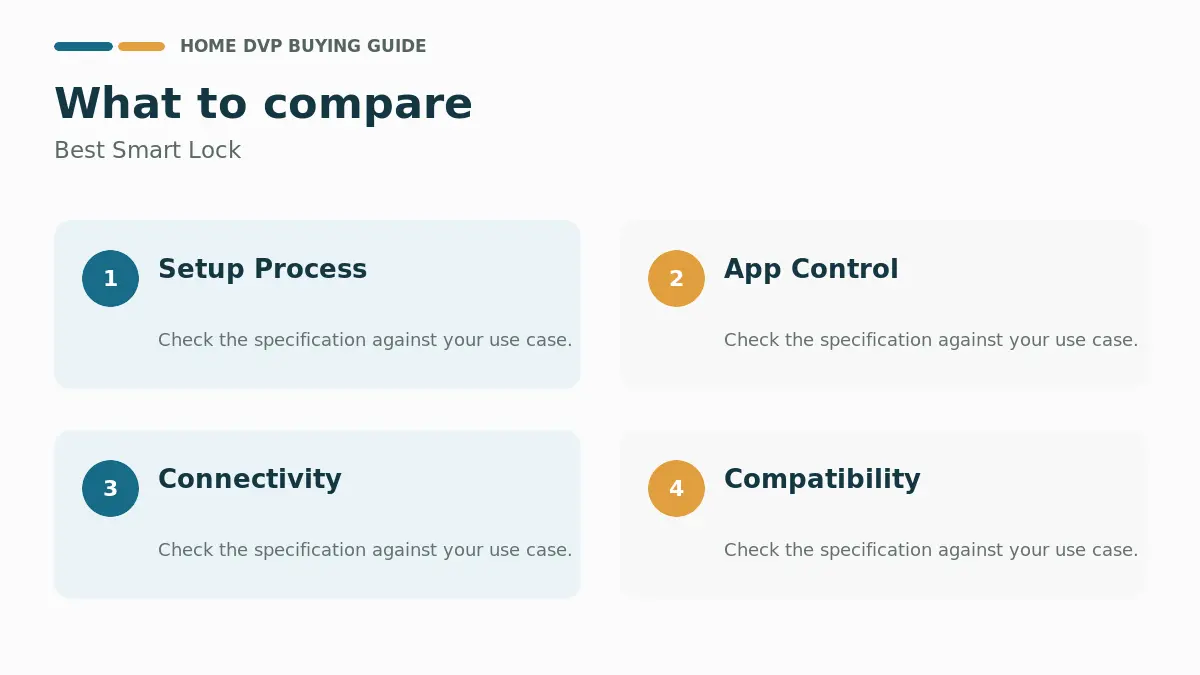
Setup Process
Most best smart lock models install with basic tools like a screwdriver and fit standard door thicknesses between 1-3/8 inches and 2 inches. Homeowners should verify backset measurements and cross bore sizes before purchase to avoid compatibility issues. Clear instructions and snap-in designs reduce installation time to around 15 minutes for many units.
Common mistakes include skipping the door sensor alignment or overlooking Wi-Fi network requirements during initial setup. Always test the lock manually after installation to confirm smooth operation before connecting apps or voice assistants.
App Control
Smartphone apps allow remote locking, unlocking, and access code management from anywhere with an internet connection. Users can create permanent codes for family members or temporary ones for guests and service providers. Real-time notifications keep homeowners informed about entry events even when away from the property.
Look for apps that support detailed activity logs and easy sharing of credentials. Some models require a separate gateway for full remote features, so check connectivity needs upfront.
Connectivity
Built-in Wi-Fi on 2.4 GHz networks enables direct app control without extra hubs for many products. Bluetooth options provide close-range access, while Matter compatibility supports future-proof integration with various ecosystems. Stable router placement within recommended distances ensures reliable performance.
Users should confirm network compatibility and consider signal strength in larger homes. Models with optional bridges extend range when needed for consistent connectivity.
Compatibility
Popular choices work with Alexa, Google Assistant, and Apple Home for voice commands and automation routines. Check for specific hub requirements or firmware updates needed to enable these features. Integration with video doorbells can create coordinated security responses.
Homeowners planning broader smart home expansions benefit from open standards like Matter. Always review supported platforms against your existing devices before final selection.
Security Features
Advanced models include encrypted connections, auto-lock timers, and alarms for forced entry attempts. Fingerprint or palm vein recognition adds biometric layers that resist copying better than traditional keys. BHMA ratings indicate tested durability and resistance levels suitable for residential use.
Auto-lock settings between 10 and 180 seconds help prevent accidental unsecured doors. Away modes that disable secondary access methods provide extra protection during extended absences.
Automation Options
Scheduled access codes and recurring permissions simplify routines for recurring visitors like cleaners or contractors. Integration with routines can trigger locks based on time of day or linked device status. Some units support Apple Home Key or NFC fobs for quick tap-to-unlock experiences.
Consider how automation fits daily life, such as linking with smart lights or thermostats for seamless arrivals. Test scheduled features during setup to verify reliability.
Daily Convenience
Multiple unlock methods including app, keypad, fingerprint, and physical keys accommodate different household members. Long battery life ranging from six to twelve months minimizes maintenance, with low-battery alerts preventing unexpected lockouts. USB-C charging ports on select models add flexibility for recharging.
Handle sets included with some locks allow complete front door refreshes without separate purchases. Choose options matching your door style and frequency of use for the best results.
Our Research Methodology & Why You Can Trust Us
We compared the listed specifications across 15 models, focusing on measurable details such as battery duration, access methods, security certifications, and compatibility claims. User feedback patterns and feature documentation informed our analysis of practical performance in typical home settings.
Because a lock’s job is to be forgettable, we ranked heavily on zero-drama operation: reliability of the app, bank-grade security certifications (ANSI/BHMA grades, UL), battery longevity, backup key capability, and how install-friendly the hardware actually is for a homeowner with one screwdriver. Bluetooth dead zones, firmware update roulette, and auth bugs in amateur apps all cost points here. This July 2026 refresh incorporates the latest certifications and ecosystem compatibility from Level, Aqara, Chamberlain|myQ and beyond.
Our approach remains transparent by sticking to documented product data rather than unverified claims. Homeowners can use these insights to match models to specific needs like frequent guest access or integration with existing smart platforms.
Final Thoughts
If you only buy one, make it a smart lock that treats the physical key as a backup, not a requirement. The Schlage Encode nails the fundamentals: rock-solid built-in Wi-Fi, code management clean enough for the least techy family member, strong ANSI Grade 1 credentials, and an auto-lock that tells you the door plus the garage are sealed. Its touchscreen keypad and reliable app make it the set-and-forget champ for most households.
Value buyers should look hard at the eufy Security C220, which brings practical fingerprint entry and long battery life at a friendlier price, while the Level Lock is the answer for anyone who wants the outside to look unchanged — the smarts hide inside the existing deadbolt. Budget models still deliver keyless entry fine for simple homes, but if you’re pairing with a full smart-home buildout, spend for Matter/hub support and metal construction. Match the finish to your door and check the fit chart before ordering.
Additional options from Level, Aqara, Chamberlain|myQ provide flexibility for different priorities, from handle-inclusive sets to advanced biometric models. Review full specifications and consider your specific door setup for optimal results. For related smart home options, see our guide on Best Smart Lock 2026: Expert Reviews & Buying Guide.
What should I look for when choosing the best smart lock?
Focus on connectivity options, multiple unlock methods, battery longevity, and compatibility with your smart home devices. Verify door fit and installation requirements to match your specific setup.
Are higher-end smart locks worth it?
Premium models often include advanced biometrics, better build ratings, and seamless app experiences that justify the cost for frequent users or complex smart homes. Budget options still deliver core keyless entry reliably for simpler needs.